Lala Lajpatrai Institute of Management


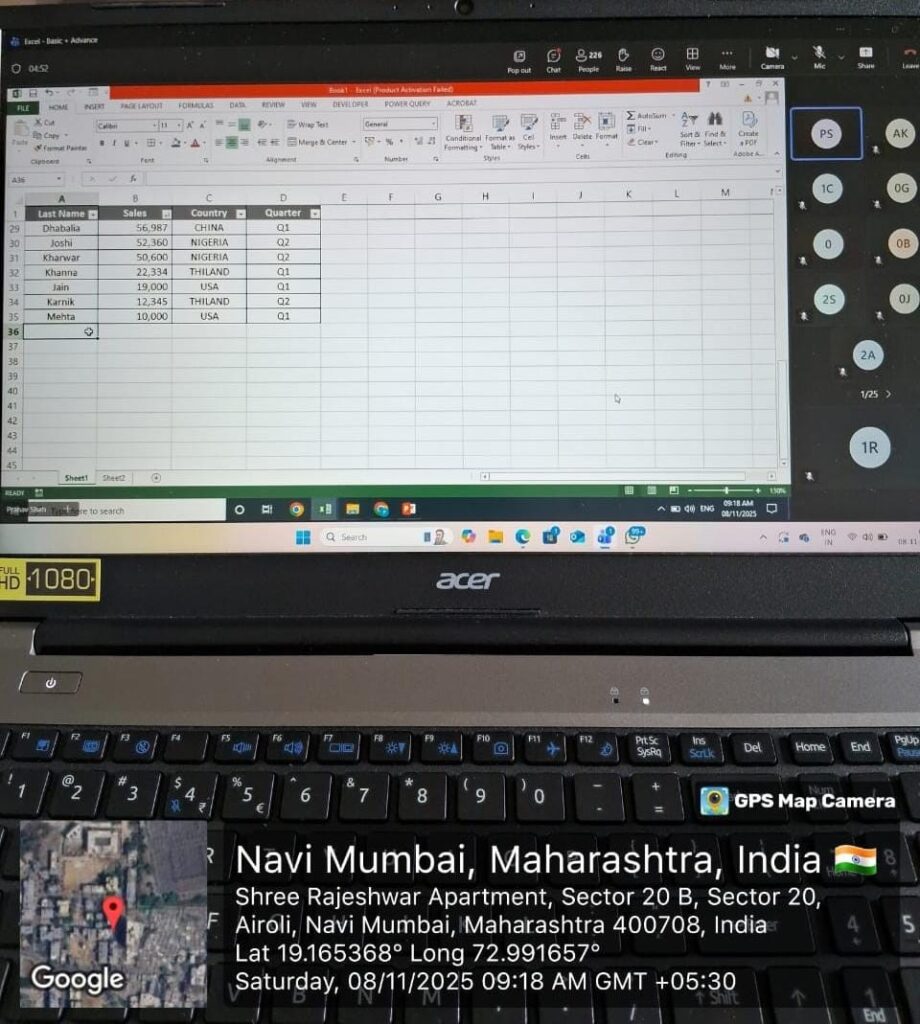
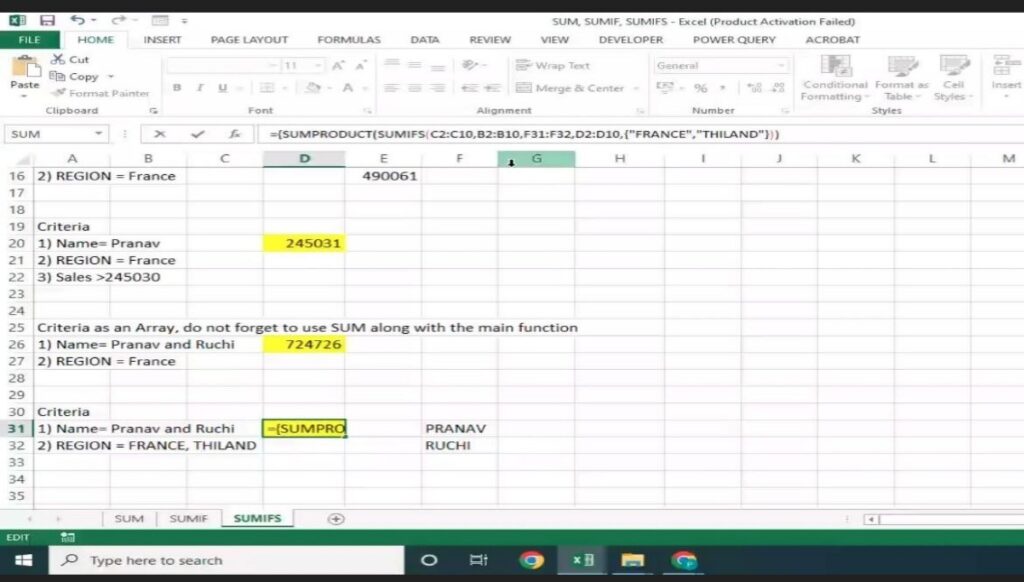
Guidance » Grooming Activities » Advance Excel Training & Workshop
College Name
|
LALA LAJPATRAI INSTITUTE OF MANAGEMENT |
Name of the Event / workshop |
“Advance Excel Training & Workshop”–Batch 2025-2027 (AY-2025-2026) |
Resource Person |
Mr. Pranav Shah
Qualification: MBA from N. L. Dalmia Institute of Management B.E. (Computer Science) from Somaiya Institute of Management Mr. Pranav Shah is working as a Fund Manager with SBI Mutual Fund.
He has prior work experience with Darashaw & Co. and TCS.
He is passionate about training and holds extensive knowledge in his domain.
Subject expertise: Advance Excel Excel Macros Excel VBA MS Access Advance PowerPoint Prezi Visio, Open Office and MS Office
|
Date
| 4 Days (2nd, 5th, 8th and 9th November 2025) 12 Hours (8.00 AM to 11:00 AM) |
Faculty In charge | Dr. Suresh Suvarna and Prof. Pravin Narang |
Description
| Topics Covered in 4 Days
1. Using Excel Interface Shortcut keys
2. Using References in Excel Absolute cell reference Mixed cell reference Using Name Manger (Define, Search, Edit and Delete Names)
3. Using various types of Functions in Excel Date (Today, Now, Month, Year, Datedif, Weeknum, Networkdays etc.) Text (Left, Right, Mid, Concatenate, Trim, Upper, Lower, Proper etc.) Financial (Disc, Intrate, Ipmt, Fv, Irr, Nper, Npv, Pmt, Ppmt, Price, Pricedisc, Pv, Rate, Yield, Yielddisc)
4. Using Lookup and Conditional Functions in Excel Lookup Functions (Vlookup, Hlookup, Match, Index etc.)
5. Validating and Protecting your work Hiding formulas Protect sheet Protect workbook Encrypt document
6. Extracting useful info Advanced Filter Remove duplicate data Consolidate Remove Duplicates Formula auditing tools Printing techniques
7. Arranging your data Multiple column sort (Data sort) Color and custom sort
8. Format Data conditionally to stand out Format data using Absolute cell reference Format data using Mixed cell reference (Comparison) Format data using Formula Format data using Data Bars Format data using Color Scale Format data using Icon Set Modify and Remove CF
9. Using Tables to Summarize and Visualize your data Creating Pivot Table Use of sections and Layout (Row, Column, Filter and Values) Using Predefine functions and values format Insert Slicer Insert Timeline Add design to make reports attractive Add charts to make summary visual base
10. Analyzing Data using predefine tools Data Table Scenarios (Optional)
11. Macros Record macros Add button to run a macro Edit existing macros Delete existing macros Macro security
|
Participants
| MMS- SEM-I-Students, Batch-2025-27 |
Dr. Vaishnavi Ramanujam
Assistant Professor
BCA, MBA, Phd
Dr. Vaishnavi Ramanujam has a PhD from the School of Management, Department of
Tourism Studies, Pondicherry University. She holds an MBA in Human Resource Management and Systems with a Bachelor’s in Computer Applications.
She began her academic career as a research fellow under the ICSSR major project in the area of tourism entrepreneurship. She has also worked on funded projects on cross-cultural tourist behaviour, social media and tourism destinations funded by Government agencies during her PhD tenure. Dr. Vaishnavi has presented her research papers at international conferences abroad that have been critically acclaimed. She has also published her research papers in ABDC and SCOPUS-listed journals. She serves as an invited resource person for workshops and academic programmes across multiple institutions. She is passionate about research in the areas of human computer interface and organisational behaviour.
Prof. Usha Kukreja
Prof. Usha Kukreja is a marketing professional and academician with experience across business development, digital content creation, and higher education. A double postgraduate with an M.Com (Marketing) and a PGDM, she has taught at leading commerce and management institutions before joining LLIM as Assistant Professor.
Her professional journey includes roles as a Business Development Associate, Content Writer, and Educator for UGC-NET aspirants, where she has created digital learning content for management students. Alongside teaching, she has contributed to NAAC work, examination processes, library development, cultural committees, and has led industrial visits for large student groups.
She is committed to innovative teaching, digital pedagogy, and nurturing future managers through practical and industry-oriented learning.
She is presently lecturing as Associate Professor in Human Resource Management at Lala Lajpatrai’s Institute of Management. She was previously associated as Associate Professor in Human Resource Management and Operations Management subjects at Maratha Mandir’s Babasaheb Gawde Institute of Management Studies, Mumbai Central. She has worked previously at IES’s Management College and Research Centre, Bandra, Mumbai from the year 2008 till May 2025. She is a B.E. (Electrical), from Fr. C.R. Institute of Technology (Fr. Agnel Technical Complex, Vashi), of Mumbai University. She did a training project at the Robotics Division at BARC, Mumbai. She has done her M.M.S. (Personnel), from IES Management College and Research Centre, Bandra, of Mumbai University. Her summer internship was in the SAP-HR division of L&T Infotech, Powai. She has completed her Ph. D. (Arts–Management studies), from IES Management College and Research Centre, Bandra, of Mumbai University. Her doctoral thesis included the study ‘to assess stress levels amongst administrators of hospitals in Greater Mumbai’. She has over 3 years of industry experience and 17+ years of teaching experience. She was employed as an Associate Consultant – Project Management with a leading automotive consulting firm. She handled jobs related to Recruiting & Selecting prospective Trainers and also conducted Training projects and briefly undertook Performance appraisal processes. She has also authored 2 books, and in total 26+ research papers and attended national and international conferences in HR and allied management areas.
Ph.D (Management Studies), M.A. (Economics), MMS (Finance), B.A.(Hons.) Economics, UGC-NET
Dr. Charu Bhurat is an accomplished academic who earned her Ph.D. in Management Studies from Jai Narain Vyas University, Jodhpur. She also holds dual Master’s degrees – M.A.(Economics) and MMS (Finance) from the University of Mumbai, along with a B.A.(Hons.) Economics from Jai Narain Vyas University, Jodhpur. She is UGC-NET qualified and a recipient of the prestigious Junior Research Fellowship. Her research interests include FinTech, Financial Inclusion, Green Finance, and Macroeconomic Policy.
Teaching Experience
Dr. Charu Bhurat has over 13 years of experience in program leadership, teaching, and research across leading management institutions in Mumbai. She has worked across a diverse set of roles, including teaching undergraduate and postgraduate programs, conducting research, and building international linkages and collaborations. She has spearheaded global partnerships with universities in the UK, US, and Australia, including the launch of a pioneering Collaborative Online International Learning (COIL) initiative with a top-ranked UK university. She has delivered invited talks at premier platforms such as the Global FinTech Fest and the India Digital Summit, with her research widely published in international journals and her opinion pieces featured in leading Indian newspapers.
Subject Expertise
International Finance, International Business, Forex Management, Macroeconomics, Microeconomics, Indian Economy, Business Research Methods, Cross-Cultural Management
B.Com [ Financial Accounting & Auditing]; M.Com [Management]; MBA [Marketing & Sales]
Professor Manisha Sayani has completed her graduation in Commerce [B.Com – Financial Accounting & Auditing ] with first class. She is a double postgraduate with post post-graduation in M.com from Mumbai University & MBA in Marketing & Sales from Amity Online.
Professional Experience:
Professor Manisha Sayani kickstarted her career with Uniconnect Sim Pvt Ltd as an International Marketing Executive, managing high-profile clients including Elder Pharmaceuticals, Pidilite, and prominent Bollywood personalities for international communication solutions.
Over the years, she has created 3 start-up brands, Digital Drill, Navrangii Bharat & and Estatewisers, which keeps her connected to the industry.
Teaching Experience:
Professor Manisha Sayani has 10+ years of experience heading the Mass Media department (BAMMC) along with being appointed as an IQAC Coordinator for 3 years at a renowned undergraduate institution in Mumbai. She is a long-standing Mumbai University associate, serving as a papersetter for advertising and marketing subjects, along with conferring the duties as a Chairperson for the paper Consumer Behaviour for the academic year 2023 – 2024.
Her interests lie in travelling & adventure sports. She is a certified bungee jumper.
B. Sc (Physics), M.A (Linguistics), SLST (Linguistics), M.Phil (Applied Linguistics), M.A. (Economics), E-MBA (HR), Phil. D (Pursuing)
Mrs. Radha has completed her graduation in Physics. She has obtained a first-class master’s degree. She has 18 years of teaching experience, including 9 years at the University of Mumbai’s Vidyanagari Campus, where she taught multiple subjects. She was appointed as a resource person in Reevaluation Co-counselling. She has translated 2 books into Tamil. She has travelled to USA, Singapore and Sweden to attend international conferences on Co-counselling.
Industry Experience
On completion of M. Phil, she served as Editor with Pure Tech Corporation Ltd, Pondicherry. Edited books of Jurassic Park, Congo Basin.
Dr. Deepakshi Jaiswal is a qualified academician with a PhD in Human Resource Management from the Indian Institute of Technology (IIT) Roorkee. She is a UGC-NET (JRF) awardee in the field of Management and holds an MBA with specialization in Human Resource Management and a minor in Finance from Uttarakhand Technical University, Dehradun.
She has presented her research at renowned academic forums.
Her research has been published in internationally recognized journals that are listed in the ABDC list and are also Scopus indexed.
With over four years of teaching experience, Dr. Jaiswal has taught undergraduate and postgraduate students in the domains of Management, Law, and Engineering. She has also served as a course coordinator for undergraduate programs.
Her areas of academic interest include Human Resource Management, Organizational Behavior, Learning & Development, and Business Communication.
Dr. Puja Gope is an accomplished academician with over four years of teaching experience, specializing in Marketing and Management Studies. She has taught MBA and BBA students across various reputed management institutions and brings a deep understanding of subjects such as Marketing Management, Consumer Behavior, and Services Marketing.
She holds a Ph.D. from Maharishi University, Lucknow, and her academic interests are strongly rooted in research and innovation. Dr. Gope has contributed extensively to the field through numerous research publications in reputed journals, including UGC CARE-listed, SCOPUS-indexed, and ABDC-ranked journals.
Her dedication to student-centric learning and academic excellence is reflected in her engaging teaching methodologies and active involvement in curriculum enhancement and co-curricular activities. Dr. Gope continues to inspire budding managers and researchers through her dynamic approach to education.
Ph.D. (Management), NET (Management), MMS, B.E. (Electronics)
Dr. Sandeep Bhanot is a Professor at Lala Lajpat Rai Institute of Management , Mumbai. He is an electronics engineer from Bombay University and a management graduate from Mumbai University. He has done his Ph.D in Management from Mumbai University on the topic of ‘purchase behaviour of luxury brands’. He has 28 years teaching experience in various subjects like Business Statistics, Operations Research, Decision Science, Research Methodology and Quantitative Models.
He has written over 50 research papers in various national and international journals and has also presented over 25 research papers at various national and international conferences. He is also an author of three books.
Dr. Priyanka Dukhande is a distinguished academic with a rich educational background and extensive experience in finance. She earned her Ph. D in the topic Microfinance from JJT University, Rajasthan, and holds an MBA in Finance with Distinction from DY Patil University. Additionally, she has a Bachelor’s degree in Science.
Teaching Experience
She is a highly experienced educator with 14 years of teaching experience in the field of finance. Her subject expertise includes the equity market, debt market, and derivatives market. Dr. Dukhande has published numerous research papers in prestigious journals such as UGC Care, SCOPUS, and ABDC. Her exceptional work has earned her the Best Paper Award, further establishing her as a respected figure in the academic community.
Awards
Dr. Priyanka Dukhande has consistently demonstrated academic excellence throughout her educational journey. She achieved first rank in her First Year (FY), second rank in her Second Year (SY), and third rank in her Third Year (TY) of her Bachelor of Science (BSc) program. This strong academic foundation, combined with her extensive teaching experience and research accomplishments in finance, highlights her dedication and expertise in her field.
Priyanka Rani has a Doctorate in commerce and management specialisation in finance. Her research interest includes Finance, social marketing, public finance and corporate governance. She has attended various national and international workshops in the field of business and management. She has presented her research work at various immense International conferences organised by IIMs and other institutions in India. Moreover, she has more than 8 research papers published in national and International journals indexed in Inderscience, Scopus, Australian Business Deans Council (ABDC), Web of Science, University Grant Commission (UGC) care and other immense databases. She has been awarded the Best Research Paper Award in the “SIXTH BIENNIAL CONFERENCE OF THE INDIAN ACADEMY OF MANAGEMENT” held at IIM TIRUCHIRAPPALLI in Jan 2020. She is a lifetime member of Odisha Commerce Association. Meanwhile, she is also associated as a reviewer with various journals indexed in UGC care and other databases. She is Lean Six Sigma‐ Green Belt Certified‐ Global Exemplar‐ June 2021.
Her subjects of interest are Financial Management, Fintech, Derivatives, Strategic financial Management, and International Business.
Dr. Keval G. Ukey is well-qualified in the field of law with a diverse academic background. He earned his Post Graduate Diploma in Forensic Science and Related Law (PGDFSCRL) from the Government Institute of Forensic Science, Mumbai, in May 2020. His educational journey includes achieving a 73% score in the MS-CIT course in September 2019. Dr. Ukey completed his Ph.D. in Law from the University of Mumbai in March 2017, with a dissertation on “Human Rights Violation of Weaker Sections in India-International Law Perspective.” He also qualified the NET examination in Criminology (Law) in June 2011 and holds an LL.M. from Vivekananda College, Aurangabad (2007), and an LL.B. from Sitabai Arts & Law College, Akola (2003). His foundational studies were completed with a B.A. from Shri Shivaji College, Akola (1999), and secondary education from New English College and Agarkar High School, Akola.
Dr.Trushna Kandalkar brings a blend of 13 years of academic expertise and 2 years practical industry knowledge. She has presented research papers in national and international conferences and her paper published in ugc and peer reviewed approved journals.
She has shown her skills in organizing conferences, seminars and workshops for Innovation, incubation and Entrepreneurs Cell.
Dr. Bharat Vira is an ardent educator with more than three decades of experience spanning across Academic, research, and administrative domains, possessing excellent skills to maintain high standards of achievement, behaviour, discipline, and punctuality; and organizing, implementing, and monitoring academic programs and developmental activities for students and faculty. He isPhd. M Com, MBA in Finance, M.Phil. ICWA (Inter), NET. He has more than 30 years of academic experience. He has five years of industry experience as a Financial Analyst with Magnum Investments. He has served at various Management Institutes and has handled many reputed posts successfully.
Subject Expertise:
His areas of interest are Financial Accounting, Cost and Management Accounting, Wealth Management, Financial Management, Corporate Valuation, Taxation and Auditing. He is an author on books on Book-Keeping and Accountancy and Direct Taxation. He has conducted many workshops and seminars and has published research papers on Financial and Banking frauds, Cyber Crime and Financial Planning.
Specific Proficiency:
He is a mentor and a counsellor for graduate and post-graduate students who seek career and overall holistic development. His strengths include developing immersive, experiential curricula, observing and evaluating students’ progress, and creating favourable learning environments for learners. He is an activist for environmental issues and wildlife protection. He possesses excellent interpersonal, communication, and organizational skills, as well as abilities in complex stakeholder and people management.
Prof. Priyanka Mourya holds a Master’s degree in Business Management from K.J. Somaiya College of Science and Commerce. She has qualified UGC-NET exam in Management. Her goal is to earn a doctorate degree in marketing. She has taught post graduate and undergraduate students in a variety of subjects, including retail management, sales and distribution management, financial services marketing, and strategic management, etc. She has also played a significant role in planning and organizing national conferences, workshops, seminars, and campus activities.
Corporate Experience:
She has garnered valuable experience as a Dealing Executive at Sharekhan by BNP Paribas, where she navigated Equity Derivatives, Currency Derivatives, and Mutual Fund Segment. Additionally, she served as an Assistant Manager on the Branch Dealer Desk at Kotak Securities Ltd., further enriching her expertise in financial markets.
Teaching Experience:
An esteemed academic professional with five years of dedicated experience, proficiently instructing both graduate and post-graduate students within the domain of Finance.
Subject Expertise:
Her areas of focus encompass Security Analysis and Portfolio Management, Mutual Fund Management, Financial Markets, Financial Services, Financial Derivatives, and International Finance.
Prof. Pradeep Singh is a dedicated, resourceful, and goal-driven professional educator with a solid commitment to the academic growth and development of every student in the class. Mr. Pradeep has over 11 years of a mix of industry and academic experience. He is an MH-SET qualified in Management subject. He holds a Postgraduate Degree Masters in Management Studies, basically from a science background graduated in the subject of Physics. He also holds a Diploma in Human Resource Management from Welingkar Institute of Management and Research. He also holds NIELIT (DOEACC) ‘O’ Level certificate, a program recognized by the Ministry of Human Resource Development, Government of India. He has worked in the field of Marketing & HR before joining the academic field.
Qualifications:
B. Sc. – University of Mumbai
M.M.S.- University of Mumbai
SET (Management) – University of Pune
Diploma in H.R.M – Welingkar Institute of Management & Research
Corporate Experience of 03 years Teaching Experience 08 years
Prof. Anusha Patil has a distinction in B.A., and has stood tenth to the Karnatak University; Dharwad. She then completed her Master’s in Psychology with distinction and was awarded the Centennial Gold Medal for securing the first rank at Karnatak University.
Professional experience:
She has three years of professional experience having worked primarily in the domain of organization development and restructuring with two firms at Bangalore.
Teaching experience:
She is an approved faculty for MMS by Mumbai University and has sixteen years of teaching experience in areas of Psychology and Management education.
Subject experience:
Organization Behavior, Organization Development, Knowledge Management, Stress Management, Research Methodology, Human Resources Management, Industrial Psychology, Social Foundations of Behavior, Organizational Theories and Structure Designs, Competency and Performance Management.
Research & Consultancy:
Presented research papers in various National and International Seminars.Her research paper ‘A Study on the Level of Commitment towards Retention Practices in Ites and Non-Ites Firms’ has won the best paper award in the International Research Conference- Vision 2020Leveraging ‘Make in India’. Has completed two consultancy projects dealing with Performance Management and Competency Mapping.
Specific proficiency:
She is familiar with the German language. She has rich experience in Psychometric testing, counselling and developing customized learning and training modules.
Other areas of Interest:
Founded ‘Knowledge Society’, a forum to envision, evolve and enrich knowledge.
She has conducted seven National seminars and numerous workshops.
He is having 8 years industrial experience and 23 years of teaching and Research experience. He has worked various institutions as a Director for more than 16 years. He is a research Guide at Dr. D.Y. Patil University since 2011 and also in BITs Pilani 4 students completed Ph.D., under his guidance. He has conducted consultancy assignment at Cotton Corporation of India and Reserve Bank of India during his tenure at BVIMSR. He received excellent Director Appreciation certificate from Indian Overseas Bank in the year-2019.
He has written more than 25 articles in the National and international Journals. He was chief editor for international journal for Yadavrao Tasgaonkar college of engineering and management. He was also associate editor at Sibaca Journal of Management. He as a Mentor and has been a guide to more than 5000 students at various business schools. He has arranged and managed National and international conference at various institutes as a Director.
Prof. Madhu has been a member of The Institute of Company Secretaries of India since 2011. She has been associated with the education industry for the past 12 years. She has been a speaker at various development programs of the ICSI.
Subject Expertise:
Corporate Law, Business Environment, Securities Law.
Work Experience
Mrs. Asha Agarwal has been associated with the institute for the last 13 years.
Since September 2003- Student Counsellor at Lala Lajpatrai College of Commerce and Economics.
Since October 2004- Student Counsellor at Lala Lajpatrai Institute of Management.
Since January 2007- Placement Coordinator at Lala Lajpatrai College.
Extra-Curricular Activities
She is instrumental in understanding and overcoming the problems faced by the students. Immensely adored by all, she has also been an enthusiast in promoting most of the institute’s cultural activities and seminars.
Teacher Coordinator of Rotaract Club of Lala Lajpatarai College.
Alumni In charge at Lala Lajpatrai College.
Actively involved in all seminars and festivals of the college and institute.
The Catalyst – Our Chief Operating Officer,career & Guidance Cell
Rajeev Gupta, started his professional career as a Citibanker and later joined Standard Chartered where he was instrumental in a number of initiatives.
With the wealth of a Foreign Banking Career spanning 11 years. Rajeev joined the Indian Financial Markets in 2001. In the Stock broking space, Rajeev worked with prominent Stock broking companies such as Religare Capital Markets Limited, Fortune Financial Services Limited & LKP Securities essentially heading the Institutional Sales Teams.
After joining LLIM in 2014, as the Chief Operating Officer of the Career and Guidance Cell, there have been process oriented changes & improvements to the functioning of the Placement Cell.
The LLIM Career & Guidance Cell this year has a final placement ratio of 90%. The inflow of recruiters has been the best ever and the training & learning programs offered to the LLIM students prior to their final placements has aided the overall numbers immensely.
With an expanded and motivated team the LLIM Career & Guidance Cell is looking forward to newer heights.
According to him ‘The new generation of students aspire to be entrepreneurs & capable leaders. The pathway to achieving this level is lined with opportunities that need to be capitalized, which can only happen with a balanced approach.’
The institute has a dedicated Career & Guidance Cell, which is in constant touch with the corporate world and essentially keeps the students informed about the requirements in different industry sectors regarding career opportunities available. It is very well supported by the Student Placement Committee. The recruiters regularly visit our campus for recruiting students every year. LLIM is a member of National Human Resource Developement Network, Mumbai Chapter.
CORPORATE SOCIAL RESPONSIBILITY
Corporate Social Responsibility
Regarding the interaction of the Institute and Community, there is a definite process in place. To highlight the same, we hold every year the following events at our Institute for the benefit of the community at large :
• Blood Donation Drive
• Yoga Camp
• Eye Check up Camp
• Thalassemia Awareness for our students
• Stem Cell Registration
• Toy Donation Drive
• Enactus
• Exhibition of Handicrafts made by handicap people
• Road Safety Campaign
• Self Defense
PLACEMENT PROCESS
The Campus Recruitment Programme facilitates the placement for the full time programmes at LLIM. The institute collects vital data from companies like Job Profile, Salary Details and other relevant details in the attached form in order to organize a smooth recruitment process.
PRE-PLACEMENT INTERACTION
This provides an opportunity to the students to learn more about the organization, their operations, future growth, job opportunities, work culture etc. This aims at matching students expectations with the companies requirement to create a win- win situation for both.
FINAL SELECTION
This depends upon the various selection techniques used by the corporates according to their recruitment procedure. After the candidates are short-listed and selected, the offer letter are to be given to the Placement Office.
For Further details, please contact:
Students are the assets of our Institute. We believe that it is our responsibility to mould them in such a way that they become the assets of the Industry. Our students are future managers. Keeping this in mind, the students of our Institute are trained right from day one to tackle any difficult situation that they are likely to face in the future.The Institute believes that a self learning attitude of the students is the key to success. Thus, we aim at developing a self learning attitude among our students rather than restricting their thoughts. This self learning attitude when coupled with theoretical knowledge helps the students to think and come out with innovative solutions thereby achieving our objects of providing the industry with our assets that would lead to their success. Following techniques are used to improve the skills of our students.
CASE STUDIES
The case study method is used to apply theory to real-life situations and to solve real problems. Through this method, students learn to be in real situations, make decisions, deal with consequences of those decisions, and learn from real mistakes. Nothing will ever replace learning from experience. The Cases (which involve real situations although names may be changed) allow the students to “simulate” real life situations when they don’t have the luxury of having years of experience. Management students use case problems and experiential exercises as “Laboratory” opportunities to experiment with real organizations in the class room settings.
He has to his credit total 38 years of experience in the Industry and Academics. He has a varied experience in Academics, Applied Research and Administration and is an authority in various subjects viz. International Finance, Managerial Economics, Research Methodology.
Dean Message:
Global Economic environment as well as economic environment in India is witnessing spectacular changes. In particular India’s services sector in terms of its contribution to GDP growth and also in terms of its share in the international business is remarkable. It is increasingly realized that the knowledge based society is absolutely necessary for rapid economic development. The global playing field is being levelled by the technological revolution and paradigm shift in the policy regime all over the world.
The forces of tradition, culture and commitments to preserve national identity have caused the regime change in the corporate approach to international business. Multinational companies are trying to widen their mission and role. In consequence, “They think global and act local”. In short, appropriate knowledge, skill and attitude have emerged as significant driving forces in the present context of globalization and liberalization. In response to the above mentioned changes, Lala Lajpatrai Institute of Management (LLIM) maintains a fine balance between high academic quality and professional relevance provided by close interaction with the corporate world.
A strong interface with the world of business is therefore, as much a requirement as a strong growth potential. LLIM attaches particular importance to the creation of an effective learning environment that favors the development of students’ managerial and entrepreneurial skills and fosters their sense of global responsibility. The endeavor of Lala Lajpatrai Institute of Management is to evolve its system of education to equip the students with necessary knowledge and skill for facing the challenges of an emerging brave new world. Attempts are being made to groom young minds to be dynamic, flexible and adaptable to changing business environment. We are proud to place on record with deep sense of appreciation the patronage that the corporate world has accorded to LLIM.
We also note with pride that our management students who are recruited by Standard Chartered Bank, Hypercity, HSBC Bank, ICICI Bank, Dena Bank, SIDBI Venture, Citi Bank, Pantaloons, Crisil, HDFC Securities, Bank of India, Union Bank of India etc. are reported to be very good performers in real work situation. An illustrative list of good performers includes: Mr. Sharad Ahuja, AVP-Kotak Securities; Mr. Ajit Singh Bhatia, Regional Business Manager – Wipro Infotech; Mr. Jeetesh Bhatia, Citibank (Bahrain); Ms. Anjali Bose, Manager Credit-UTI Bank; Mr. Vishal Gupta, AVP-DSP Merrill Lynch. I am confident that the corporates would continue to extend their full support to our Placement Manager and his team in their endeavor for better placements.
Dr. Kamal Gupta, Founder Chairman, of Lala Lajpatrai Institute of Management reflects a fine example of Charles Darwin’s famous Observation. “It is not the strongest of the species that survive, nor the most intelligent, but the ones who are the most responsive to change.” Dr. Kamal Gupta is a fine example of Darwin’s profound theory. Taking the Institute to greater heights.
Dr. Gupta became the Founder Chairman of the Management Institute which was started in 1995. His dedication and concerted efforts helped the Management Institute to grow from a raw novice to a full-fledged State-of-the-Art Institute. He undertook the cumbersome process of revamping the Institute by creating appropriate infrastructural facilities, improving course content, introducing new and relevant courses, establishing appropriate linkages between courses offered and job markets. Dr. Gupta stresses on small concentrated batches rather than cluttered and oversized classrooms. focused on improving the infrastructure by upgrading the entire infrastructure with State-of-the-Art technology. He emphasizes that “The golden rule is to never compromise on quality.” Dr. Gupta being closely associated with the Institute is a live force for incessantly inspiring the students to learn. He believes that there is no age gap on learning and acquiring Knowledge and Dr. Kamal Gupta himself strengthens this belief. The fact that words are as good as deeds is evident from the Ph.D. degree that was awarded to him by the University of Mumbai in 2008. Thus, he sets a fine example for students and staff of the Institute in terms of the constant self-motivation that he imbibes to learn, encourage and inspire. His advice to the youth of today is “To climb the coveted ladder of success, one must acquire the appropriate skills, knowledge and attitude needed for exploiting the available opportunities. Once this is achieved, the world is your oyster.

Dr. Shreedhar V. Sherigar has rich experience in 42 years of career as an industry expert and academician. He has served as a Director in the PGDM institute at Karjat and as a faculty in various management institutes. He is known for his expertise in HR and Law related subjects and domains. He is a recognised Research Guide for Ph.D. at YCMOU. He has published many research papers that highlight critical HR-related areas such as IR, BPO employee issues and challenges associated with training issues.
Prof. Prof. Aiman Bhabhrawala is a MBA-Finance Gold Medalist from Gujarat University. She did her bachelors in Business Administration with Finance Specialization from Gujarat University, Ahmedabad. She has qualified UGC-NET examination in the subject of Management for the post of Assistant Professor. She is currently pursuing PhD from Gujarat University.
Professional Experience:
Prof. Aiman has worked with S&P Global Capital IQ (India) Pvt. Ltd in the domain of research for 8 months.
Teaching Experience:
She has an experience of 2.5 years of teaching graduate and post-graduate management students in the area of finance and accounting with two universities based in Ahmedabad.
Subject Expertise: Her subjects of interest are Financial Management, Financial Accounting, Management Accounting, Strategic financial Management, and International Finance.
Other Interests: Apart from teaching, she has also been a mentor to the post-graduate students for their comprehensive projects. She has also been instrumental in conducting management events, cultural events, and organizing national level conference.
Prof. Pravin Narang B.E. (Mech.), MMS, Pursuing Ph.D. (Management) has over 25 years’ experience in industries like, Automobiles, Office Equipment etc. Apart from work experience in India.
he also has overseas experience in Africa and Middle East. He has done MMS and B.E. (Mech.) from University of Mumbai. He has also passed the NET exam and SET exam.
Dr. Kiran Kakade, is a Management, Technology and Legal professional with passion for consulting and training, specialized in ERP Solution, HR Technology, Legal Technology, and Learning and Development. He has 13 years of rich academic and Industrial experience in some of the leading business schools in Mumbai like TISS, TIMSR, GNIMS and MIT World Peace University, Pune.
His research area of interest is mainly application of Artificial Intelligence in HR and Law. He has attended various National and International conferences, Faculty Development Programs, Workshops and Seminars. He holds 6 patents and has more than 50 research papers published in ABDC and Scopus publications. He is passionate about teaching and has spearheaded a lot of initiatives for the holistic development of students on campus.
Education :
* Ph.D. (Management Science– SRTMUN, Nanded)
* M.B.A. in Human Resource Management (SRTM, University Nanded)
* M.C.A. (Pune University)
* LL.M. (SRTM, University Nanded)
Experience (Total 13 Years of Experience) :
* 7 years Teaching Experience and 6 years of Industrial
Prof. Nitu has 2 years of corporate experience in the advertising and marketing field. She has a teaching experience of over 7 years and has been associated with various reputed Institutes.
Her core areas of interest are in Marketing Management, Principles of Management, Brand Management, Negotiation and Selling Skills, Strategic Management, Digital Marketing and Emerging trends in Marketing
Prof. Kavita Patil is a University Approved Management Professor. She is an NBA Co-ordinator and Exam Controller at LLIM.
Prof. Kavita Patil is an Engineer graduate with first class from the University of Mumbai. She did her Masters in Operation Management with Distinction from the University of Mumbai. Prof. Kavita Patil has participated in many management and faculty development programs and training in the area of Operation and IT conducted by various institutes and was also a moderator with many institutes. She began her career with leading companies where she gathered experience in Database Administration.
She is an Oracle-certified DBA and has 6 years of research experience in corporates. Seeking her passion for teaching, she joined many management institutes in Mumbai. She has 9 years of teaching experience in management institutes. She teaches Operation Management, Supply Chain Management, Procurement and Material Management, Knowledge Management etc. She is a Ph.D aspirant. She has done FDP from AICTE (2021) and IIT Bombay (2020). She has published research papers in Scopus and UGC-CARE.
Dr. Asmat Ara Shaikh is a motivated and passionate educator with 13 years of experience in fostering collaborative student- learning atmosphere and building compassionate social interaction. She is a hardened academician in the area of outcome-based management education. She has Completed Ph.D. in (Management-Marketing) from (JBIMS) Jamnalal Bajaj Institute of Management Studies, department of Mumbai University.
She has authored 1 book on online shopping, e-book on Marketing Management, bagged 1 major funded ICSSR, Delhi, Project of 8 Lakh 40 thousand and 2 funded Mumbai University minor research projects. 2 National and 2 International Patent holder, successfully conferred upon 30 research papers / Case studies / articles/ book chapters till date in peer reviewed ABDC, SCOPUS, Web of Science, ELSEVIER, SPRINGER, journals including Academy of Marketing Studies Journal, Journal of Contemporary Issues in Business and Government, Small Enterprise Research Journal, Social Science Journal to name few. Reviewer of ABDC and Scopus listed Journal “Asia Pacific Journal of Health Management” -APJH. Reviewer of “Asian Journal Management” – (AJM) is an international, peer-reviewed journal, devoted to managerial sciences. She has bagged the Research Excellence Award 2021 and Young Researcher Award 2021- Institute of Scholars, an ISO 9001: 2015 Certified, Accredited by UASL. Attended 10+ international conferences at JBIMS, Mumbai, IIM Tirchi, attended 14 FDPs as well as Webinars, coordinated and organizes 10+ seminars and webinars etc. Dedicated educator with efficiently managing academic and administrative operations including teaching, mentoring, counselling, research, and so on to sustain the established institution’s credo.
She has authored and co-authored two books
1. Marketing Management
2. Human Resources Analytics
She has presented various research papers in national and international conferences and is awarded for best research paper presentations. Along with presentations she has got her paper published in SCOPUS and UGC approved journals.
She has shown her skills in organizing conferences, Developing & Executing the training programs for executives at MSME.
Dr. Pramod Nandardhane has 15 years of Teaching and 15 years of Industrial Experience. He has guided two PhD students and one student who Completed a PhD under his guidance. Total of 18 publications on his credit and also presented more than 25 papers at various National and International Conferences.
His subject domain is Finance and taught Derivatives and Risk Management, Security Analysis and Portfolio Management. He has also done research consultancy work and One project at (BARTI) Dr Babsaheb Ambekar Research and Technical and Innovation Pune.
1) M.com. (Bombay University
2) B.ed. (Bombay University) (Bombay Teachers Training College)
3) D.b.m. (Indian Merchants Chambers)
4) Dip.in Taxation Laws (Bombay University (Govt.law College)
5) I.c.w.a. (Intermediate)
6) M.h.r.d.m. (Welingkar) (We School)(Bombay University)
7) M.f.m. (N.m.i.m.s) (Bombay University)
8) M.m.m. (J.b.i.m.s.) (Bombay University)
Topper In Welingkar In Sem. Ii & Sem. Iv & University Topper In Sem. Iii In Income Tax (University Paper) From Jbims In Mmm.
Teaching Experience :
He Has 34 Years Teaching Experience Teaching Financial Accounting, Cost Accounting, Management Accounting, Financial Management, Special Studies In Finance, Project Finance To B.com., M.com., B.m.s., M.m.s. (Both Full Time & Part Time), B.m.m., B.b.i. & Also E- Mba & Pgdbm’s Courses, In Colleges Like
(1) R.a. Podar College (Matunga) Mumbai.
(2) M.l.dahanukar College (Vile Parle)
(3) Sydneham College (Churchgate)
(4) St.xaviers College (V.t.)
(5) St. Andrews College (Bandra)
(6) Wilson College (Chowpatty)
(7) Chinai College (Andheri)
(8) Akbar Peerbhoy College (Byculla)
(9) Hinduja College (Charni Road)
(10) B.s.s. College (Navy Nagar Malad)
(11)rizvi College Of Commerce (Bandra)
(12) Viva Institute Of Management (Virar) M.m.s. Course.
(13) Allahna Institute Of Management ,vt – M.m.s. Course
(14) Gurunanak Institute Of Management (Gnims) (King Circle) M.m.s. & Other Post Graduate Courses
(15) S.i.w.s. College (Wadala).
(16)visiting Faculty In Welingkar Institute Of Management(We School) Matunga For 13 Years Since 2006 To 2019 For Their 3 Years Executive Management Programs Affiliated To University Of Bombay The Courses Being M.i.m., M.h.r.d.m., M.m.m.,m.f.m., Course.
Also Taught To Corporate Executive From Industry Through Their M.d.p. Programs To The Staff Executives Of
Mahindra And Mahindra (Nashik Branch) Received Letter Of Appreciation From Them.
Mahindra And Mahindra (Kandivali Branch)
Gmmco (K.k.birla Group)
Bayer India Limited
Junior Commissioned Officers (Jco’s) Of The Indian Armed Forces (Army Navy & Air Force).
Subjects Taught To Above Mdp Programs Were Financial Accounting, Cost & Management Accounting, Financial Management, Project Finance.
(17)taught In Regional Training Institute (Rti) To Indian Audit & Accounts Dept. To Direct Recruit Section Officers (Commercial).
(18)taught As A Reader In University Of Mumbai’s Alkesh Dinesh Mody Institute For Financial & Management Studeis The Following Courses,
Mms Full Time, Bms, Mfsm, Diploma In Investment Studies, For 5 Year’s Sujects Taught
Financial Accounting
Cost & Management Accounting
Financial Management
Special Studies In Finance
Project Finance
(19)taught In University Of Mumbai’s Garware Institute Career Education & Development (Giced) To The Students Of The Following Courses.
Post Graduate Diploma In Agro – Business Management
Post Graduate Diploma In Pharma Management
Post Graduate Diploma In Analytical Techniques
Post Graduate Diploma In Management
Post Graduate Diploma In Retail Management
Under Graduate Diploma In Retail Management
Subject Taught To Above Programs Were Financial Accounting, Cost, Management Accounting, Financial Management, Project Finance.
(20)taught In University Of Mumbai’s Department Of Communication And Journalism To The Students Of:-
Ma (Communication And Journalism)
Ma (Public Relations)
Subject Taught Were Financial Management & Fincancial Accounting.
Corporate Experience:
Worked In Lic Of India
Worked In The Freyssinet Prestressed Concrete Co.ltd. ( A Subsidiary Of Gammon India Ltd.)
Others Details
1) N.c.c. Cadet For Two Years And Was Best Cadet From H.r.college Churchgate In The Academic Year 1981 – 1982
2) N.s.s. Volunteer For Two Years In F.y.b.com & S.y. B .com. And Committee Member For One Year
Prof. Anjali M.Kulkarni has done BE (IPE) from SGSITS, Indore and MBA in Finance from IMS, DAVV, Indore. She secured 99 percentile score in UGC NET in Management and qualified Maharashtra SET. She is also an Associate of Institution of Engineers and Licentiate from Insurance Institute of India.
Teaching experience:
Prof. Anjali M. Kulkarni is having 16 years of teaching experience with various management institutes in Indore and Mumbai. She had also been associated with various management institutes in Navi Mumbai as a Visiting faculty. She has also taught BE, B.Pharm and M.Tech. Courses.
She had also been In-charge Director for 3 months in her earlier Institute.
Subject experience:
Financial Management, Business Statistics, Research Methods for Business, Security Analysis and Portfolio management, Operations Management and Industrial Engineering.
Research experience:
Presented research papers in various International and National Conferences organized by premier B-schools like IIT Bombay and IIT Delhi.
She has also attended many FDPs in reputed management Institutes such as FMS- BHU and MDI Gurgaon among others.
Specific Proficiency:
She has an expertise in guiding students for projects, and research papers.
Other areas of Interest:
In addition to teaching, she is involved in coordinating seminars and paper presentations. She has organized Seminars and research conferences. She has been working as the Prof. In-charge of Library, Girls Hostel and other areas. She has also been a member of syllabus revision committee at both Mumbai University and DAVV Indore. She had also been the chairperson of Scrutiny committee for faculty recruitment in her earlier stint. She had also been a part of many other official committees including the teacher’s representative in Governing Body.
She has also interest in classical vocal, chess and Spanish language.
Dr.Kinjal Shah has been awarded Ph.D. degree in commerce and Management by University of Mumbai, she has finished her regular M.Phil. From S.N.D.T. University, Churchgate.
Work Experience:-
Before joining Lala lajpatrai institute of Management, she has worked as Full time and visiting faculty with leading B- schools in Mumbai. She has 10 years rich teaching experience with Management institutes. She is the author of many books in the area of Human resource management, Marketing, Finance and financial markets at undergraduate level with leading Publisher Sheth Publication Private limited from 8 years.
Subject Expertise:-
B2B, Research Methodology, International Business, International Finance, Managerial Economics so on.
Specific Proficiency:-
She has an expertise in guiding students for project and research papers. She has good interpersonal skill for effective learning.
Research Interest:-
She has published and presented many research papers in various national and international conferences.
Awards:-
1.She won award of outstanding researcher award-2019 by Green Thinkerz
2.She won award of best Doctoral thesis-2019 by International association of Research and Development
Other interest:-
Apart from teaching, she is assisting in mentoring, research, publication and Newsletter activities in Institute.
Academic Credentials
She has done Ph.D. from Devi AhilyaVishwavidyalaya, Indore. She has done Graduation in Microbiology and Pharmaceutical Chemistry. Her post-graduation is in MBA (HR +Marketing) from the same university.
Teaching Experience
Dr. Priyadarshini has 5+ years of teaching experience in renowned institutes of university of Mumbai and DAVV University Indore at MMS level. Delivered lectures for executive MMS program in Sikkim Manipal University.
Subject Expertise
Organization behavior, Human resource management, compensation and benefits, Global HRM and T&D.
Specific Proficiency
Guided number of students for their research project as a part of their curriculum. She has presented research paper in many national and international research conferences as well has research publications. She has also worked as a free-lance image management consultant.
Other interests
Reading books, writing stories, meditation, listening music.
Dr Gautam Trehan is an Associate Professor in Lala Lajpatrai Institute of Management Mumbai, with almost 19 years of industry experience in Pharmaceuticals, FMCG, Food Processing industries, and 10 years of teaching experience, he has written over 20 plus articles and various research papers for national and international conferences and Journals (UGC Care, Scopus, ABDC Journals) Patent, Book on Strategic Management (3rd edition).
He has completed his PhD and Master in marketing management with distinction from University of Mumbai.
Dr. Neetu Singhwal has completed graduation in Commerce and Post-graduation (MMS-Finance and M.Com) from Mumbai University.
Teaching experience:
An academician with Seven years of experience in Management Education with a premier B-School in Delhi/NCR and Mumbai. Academic experience range from delivering courses to Management students and Executive Management (exe. MBA) students.
Subject Expertise
Research area is Impact of Demonetization on Mom and Pop Stores. Specialties: Security Analysis, Portfolio Management, Financial Accounting, Cost and Management Accounting International Finance and Financial Management, Advance Financial Management, Management Control System.
Specific Proficiency
Possess good inter-personal skills for effective class-room learning. Excellent communication enhance presentations for lecture delivery.
Other Interests
In addition to teaching, she is involved in coordinating seminars, has also worked as Head of Cultural Committee and has organised cultural fest in the institute and also was member of Examination Committee.
Prof. Aditya Khandwe completed graduation in B. Com and Post-graduation in Management (Finance) from Sterling Institute of Management Studies, Mumbai.
Teaching Experience
Prof. Aditya Khandwe is passionate about teaching. He has over 6 years of Corporate experience and hence, brings about a valuable mix in the learning experience of the students.
Subject Expertise
ixed Income Instruments, Project Finance, Mergers and Acquisitions, Corporate Valuation.
Research Initiative
He has published research papers in leading National journals and presented papers at Conferences & Seminars.
Other Interest
Apart from teaching, he has assisted in organizing different curricular and co-curricular activities in the Institute.
Dr. Gagan J. Bhatia is a Ph.D. in the faculty of Commerce & Management, Subject: Marketing Management from Savitribai Phule Pune University. He is an academician with a corporate background & a rich experience of 18 years in academics, print media & banking. He believes in Collaborative Learning & has the capacity to bring a class together as one cohesive unit and generate synergy within it. By nature, he is an extrovert who is always on the lookout for new information in the marketing industry & possess strong interpersonal skills for effective teaching learning outcome.
Industry Experience:
Prof. Bhatia has over 7 years of diverse professional experience in industry which includes stints with Citibank N.A & The Times of India Group. In course of his industrial experience, he has handled marketing, sales, media operations and channel sales management.
Subjects expertise:
At LLIM he teaches Marketing Management, Services Marketing & Strategic Management & He possesses an expertise in Strategic Management (U.A.), which he has been teaching since last 12 years.
Other areas of Interest:
In addition to teaching, he is actively involved in Research work & mentoring students. He has 10 Research Papers in Scopus, UGC Listed, and Peer Reviewed Journals to his credit. He has also published 2 books. He engages students at a personal level by motivating & guiding them for specific job roles.
Dr. Shilpa C. Shinde is an alumnus of LLIM and done her Masters in Marketing from LLIM, Mumbai University. She has been awarded Ph.D. degree in Management by JJT University, Rajasthan.
She has 10 years rich experience in various corporates like Reliance Telecomm, Intelenet Ltd., ICICI Bank, Standard Chartered Bank, HDFC AMC, and Tech Process.
Teaching Experience:
She is an approved faculty for MMS by University of Mumbai. She has over 06 years of teaching experience in the management education.
Subject Expertise:
Marketing Strategy, Product and Brand Management, B2B, Research Methodology, Operations Research, Sales Management, and Supply chain management.
Research Consultancy:
She has presented and published many research papers in various National and International Conferences. She has published various research papers in Impact factor and highly Indexed International Journals. She has completed two consultancy projects dealing with Hospital Management.
Specific Proficiency:
She possesses experience and skills to handle various Logistics and payment gateway business, also Business Simulation program. She is certified for Quality Management by Institute of Quality Ltd. (Philip Crosby Associates, Boston). She is also Certified Internet Associate, Enterprise Routing by Juniper Networks Inc.
Awards:
1. She won the 1st Prize for paper presentation in National Conference “Charting National Growth: Socio-economic Challenges in Manufacturing & Service Sector”, at TIMSR.
2. She has awarded twice by Reliance for her contribution in organization as “Award of Excellent Performance” and “Excellent knowledge of Product and Process“.
3. She is also awarded as a “Best Trainee” by Intelenet Ltd.
Other areas of Interest:
In addition to teaching, she is actively involved in organizing seminars and Industrial Visits. She is member of Editorial Committee for Journal of Research. She has been working as the member of library, language lab and other committees.
Dr. Muppavaram Gowri Shankar has completed his graduation in B.Sc (Mathematics) with first class and MBA in Marketing with first class from Dr.G.R.Damodaran College of Science, affiliated to Bharathiar University, Coimbatore, Tamilnadu. He has been awarded the Ph.D. degree in Management by JJT University, Rajasthan. Dr. Muppavaram Gowri Shankar is an approved Ph.D. guide in Management Studies for University of Mumbai for Lala Lajpatrai Institute of Management[LLIM] Research Centre and currently guiding four research scholars.
Industry Experience :
After completing MBA, he started his career in the textile industry as a management trainee and elevated to the position of department head- marketing in four years. As he developed interest in teaching, he moved into academics to explore and learn the deeper aspects of being an academician.
Teaching Experience :
He has 20+ years of teaching experience in reputed management institutes in the management education. He has worked as a faculty in the reputed management institutes both in Andhra Pradesh & Mumbai.
Subject Expertise :
Marketing Research, Consumer Behaviour, Research Methodology, Distribution & Supply Chain Management, Operations Research, Business Mathematics and Quantitative Methods in Management.
Specific Proficiency :
He possesses experience and skill to handle various research projects relating to marketing research. He has expertise in simulating and analysing data by using SPSS package.
Other areas of Interest :
In addition to teaching , he is involved in coordinating seminars and paper presentations to facilitate in the brand building of the institute. He has contributed articles in the management publications and journals on topics covering marketing strategies, supply chain management, consumer behaviour etc. He is also associated with the publications of journals and books on technical papers of seminars. He has been working as the member of library, sports and other committees.
Dr Suresh R. Suvarna is a commerce graduate from the University of Mumbai. He did his Masters in Human Resource Management (MHRDM – University of Mumbai) from Welingkar Institute of Management, Mumbai.
Corporate experience:
Dr Suresh R. Suvarna has nearly 21 years of experience in General / Office Administration, Facilities, Transport, Vendor Management, Auditing and Excise Affairs. Strong ability to master a situation quickly, highly knowledgeable in a wide variety of professional disciplines and an expert at organising and directing turnaround situations.
After his post graduation he started his career in the advertising agency. He has worked with an IT Company for a period of 10 years and has been heading the Corporate Services dept of Stream International Services Pvt Ltd .
Dr. Suresh R. Suvarna is heading the placement cell at LLIM.
Specific Proficiency:
Developing and implementing key procurement strategies / purchase schedules from vendors and ensuring alignment with organisational objectives
Ensuring smooth operations at all times and maintaining proper decorum & discipline by implementing & modifying policies & procedures
Overseeing entire gamut of tasks including travel, hotel booking, infrastructure and security functions.
Complying with statutory acts as well as rules & regulations and monitoring operational logistics as equipment, movement & replenishment
Managing infrastructure development entailing daily administration & maintenance of premises as well as other facilities like AMCs
Dr. Arati Deepak Kale is an alumnus of NMIMS and done her Masters in Human Resources from NMIMS, Mumbai University. She has been awarded the Ph.D. degree in Management by JJT University, Rajasthan.
Industry Experience:
She has 15 years rich experience in the corporate as the AGM-HR. During her stint in the corporate, she also has handled International Assignments. As she developed interest in teaching, she moved into academics to explore and learn the deeper aspects of being an academician.
Teaching Experience:
She is an approved faculty for MMS by University of Mumbai. She has over 10 years of teaching experience in the management education. She is the Research Guide in the area of Management and Commerce for JJT University, Rajasthan.
Subject Expertise:
Human Resources Management, Training and Development, High Performance Leadership, Competency and Performance Management. Specialization Project, Organisational Behaviour, Services Management, Compensation and Benefits.
Specific Proficiency:
She possesses experience and skills to handle various research projects relating to the various streams of Management. She creates a welcoming learning environment for all students. She constantly renews herself as a professional on her quest to provide students with the highest quality of education possible and hence is constantly learning new teaching strategies or incorporating new technologies into lessons. She is a polyglot and proficient in English, Hindi, Marathi, Kannada, Tulu, Gujarati, Malayalam and Konkani.
Awards:
She won the 1st Prize Award for presentation and paper titled “Social Entrepreneurship and Sustainability” at the International Conference on Innovation and Entrepreneurship organized by Institute for Future Education, Entrepreneurship and Leadership, Lonavala in 2012.
She is the recipient of the “BEST FACULTY” award for her contribution towards Social Entrepreneurship by ENACTUS.
Other areas of Interest:
In addition to teaching, she is actively involved in coordinating seminars, Management Development Programmes/Workshops and cultural fest in the institute. She has contributed articles in the management publications and journals etc. She has participated/presented papers in various National and International seminars/conferences and workshops. She has twelve research papers to her credit which have been published too.
She is heading the Unnath Bharat Abhiyan (UBA) Cell, Entrepreneurship Development Cell and ENACTUS.
She is the Project Coordinator for the Summer Internship Program as well as Specialization Project and has guided over 2000 projects.
She also organizes Industrial Visits. She has been instrumental in obtaining a grant towards CSR activities from Mahindra and Mahindra Limited. She is actively involved and conducted various Community Services camps such as Dawat-e-Lala, Kamadhenu, Blood Donation Camp, Eye Checkup camp, Thalassemia Checkup camp, Stem Cell Registration, Dental checkup, Toy Donation, Yoga & Meditation Camp, Healthy Skin and Hair, Anti-Smoking (NASHA) etc. Various programs for the youth betterment have been organized by her. She is also actively involved in Students counselling and Grievances.
She has organized Chief Minister’s Visit, Women of Excellence Awards on Women’s Day, and guest lectures by Corporate Honchos.
Subjects Expertise:-
He teaches
Operations mgmt, Research methodology, International marketing, Mergers & Acquisitions for MMS Course
Production mgmt, International Finance, Sales mgmt, Quantitative models, Environment management for PART TIME MBA
Other Activities:-
He is also a member of the Placement cell which looks after placements for students.
Dr. Balasubramanian completed his graduation in BSc from Mumbai University. BSc(TECH)—(Chemical Technology) from Institute of Chemical Technology Matunga, Mumbai. After working for 10 yrs in the Corporate sector he did his Masters in Marketing Management from Jamnalal Bajaj Institute, Mumbai, and Diploma in International Finance. He has completed his Ph.D. in Management from JJT University, Rajasthan.
Industry Experience :-
He has 29 yrs. Of varied experience in production, projects, marketing and international business with various corporate houses where he held key positions of Vice-president ,and Director.
He has travelled widely abroad to Europe, UK and Far East countries for International Business.
Teaching Experience:-
He has 12yrs of teaching experience in the management education and was Joint Director of a Mumbai management institute for 2yrs
D.Litt, M.B.A (Marketing & MIS).
B.Sc.Assistant Professor
Dr. N. Balasubramanian is a science graduate from Vivekananda College, University of Madras. He did his Master’s in Business Administration from Lucknow University and alumni member of IIMA and NITIE. Dr. Bala has participated in many Management Development programs and trainings in areas of IT and Executive development conducted by organizations like TATA, Unisys, Yourdon, QAI, Invensys, Seibel, NIS Sparta, IIMA, NITIE and IBM.
Corporate Experience:
Dr. Bala has 27 years of rich experience in IT, Corporate Management and Consultancy. Worked with leading Indian and MNC IT companies in providing solutions to global giants worldwide including Fortune 200 companies and held positions like Delivery Head, Practice Head, International Country Director, COO and Director. Dr. Bala moved into Consultancy and worked with SMEs and technical start-ups and was instrumental in building alliances, business development, delivery and processes. Rich experience in global delivery, international marketing & relationships, consultancy, corporate management, process compliances and technical & management training.
Teaching Experience:
Dr. N. Balasubramanian has passion for teaching & training and is working as full-time faculty in LLIM for last five years. Prior to that, he had been the visiting faculty for leading B-Schools and corporate trainer for company like Tata Communications Ltd. He conducted many in-house technical and management training programs for Indian and multinational companies in India as well as in overseas countries as Corporate Consultant.
Subjects Expertise:
Teaches Operations, Marketing and IT Management subjects like MIS, Advanced Supply Chain Management, Technology Management, ERP & Logistics, Marketing of high Technology Products & Innovation, Materials Management, Service Operations Management, e-Business, TQM, CRM, Service Delivery Platform, Domain Practices, Telecom Networking Operations, Software Engineering, Project & Delivery management and International Marketing. Prof Bala has intrinsic desire to make students ready for adapting to the corporate world and has introduced latest pedagogy in the institute like Business Simulation, Business Game and Role-play.
Other interests and Expertise
Dr. Bala conducted national seminars on contemporary and futuristic topics like Cloud Computing, Affordable Technologies for SME/MSMEs, Make in India and Smart Farming. He conducted many guest lectures, workshops and Students participation in competitions.
Industry experienced speakers from Organizations like TCS, IBM, Department of Electronics, UCB, L&T, RAMCO, Lumax, Ashida Electronics, Mahindra Finance, SEBI, BSE, RBI, NABARD, APEDA, and Nehru Science Centre and leading academic institutes like IITB, TISS have participated as speakers in the above. Leading companies have sponsored national seminars.
Dr. N.Bala has presented papers or represented companies in many national and international forums. Prof Bala has published papers for research journals and Year books. Prof Bala has conducted courses for FDP, MDP and student development programs. Prof Bala is interested in sports, social activities and done minor research projects for the industry.
Dr. H.J. Bhasin is a well-known Marketing Professional with more than 17 years of Corporate Experience and 30 years of experience in the Teaching Industry. Dr. Bhasin has completed his Master of Management Studies from Welingkar Institute of Management, Mumbai. He holds a Ph.D. degree in Business Policy and Administration. Presently a Ph.D. guide, approved by the University of Mumbai, he has been mentoring research scholars in their field of research.
Dr. Bhasin started his career with International Best Foods (an HUL Enterprise) as a marketing trainee and eventually started his own business venture in the area of cold chain management. He has also held senior positions previously at various Educational Institutions and spearheaded their accreditation processes. He has served as a Founder Director of Viva Institute of Management, Virar and Director of Sheila Raheja School of Business Management and Research, Bandra, Mumbai. He has been appointed as Chairman by the University of Mumbai for various subjects at Graduate and Post Graduate level.His inherent keenness to interact with young minds and endeavour to sculpt their thinking process encouraged him to get into the teaching profession. Ever since, he has been influencing, inspiring and motivating students at graduate as well as post graduate level through his teaching dynamics and enthusiasm.
Currently he is the Director of Lala Lajpatrai Institute of Management.Here he intends to build, along with high quality academics, a good placement structure for our students who are stepping into the Industry. With his strong marketing background, his major focus is on Brand building of LLIM along with a rich research culture.